Track rent against your mortgage, on one dashboard
A new landlord dashboard nets rent collected through Tenarize against a mortgage figure you type in yourself, plus occupancy and arrears, across your portfolio.
By The Tenarize team
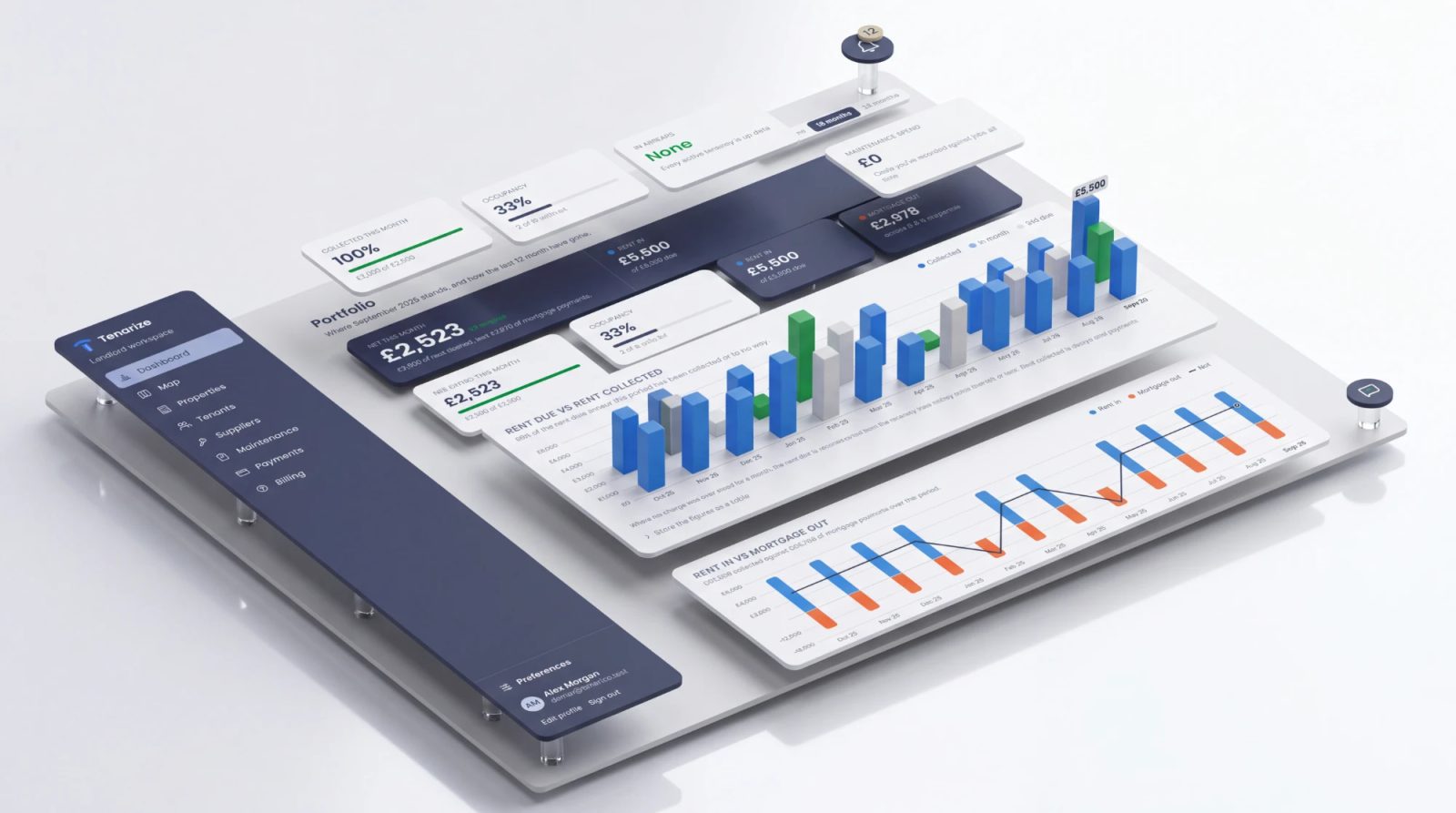
Tenarize now has a `/dashboard`, and it is where you land when you sign in — not the map of pins, which is where a brand-new account with nothing on it yet still belongs. The dashboard exists to answer three questions on one page: did I get this month's rent, am I ahead or behind across everything I let, and — the new part — is a given property actually paying for itself once the mortgage on it is out.
What is actually on it
Two charts, a table view of each, and a set of stat tiles, all drawn over the same window — 12 months by default, or anywhere from 1 to 24 if you want to look further back or narrower:
- Rent due against rent collected, drawn as a meter rather than a grid of side-by-side bars: what was due is the track, what came in fills it, and the shortfall is the part left empty.
- Rent in against mortgage out, a diverging chart with the net drawn over the top of it — rent above the line, mortgage below it, and whether a month ran ahead or behind read straight off where the net line sits.
- Occupancy across everything you let, counted properly on a room-by-room HMO: it is the bedrooms that are the denominator, not the front doors, so a five-bed house with one room taken does not read as fully let.
- Who is behind on rent right now — the same Arrears card already on the Payments page, surfaced here too rather than making you go and find it.
Every chart carries a legend, a keyboard-reachable hover tooltip, and a "show the figures as a table" toggle. A number that is only reachable by hovering a chart is a number some readers cannot get to at all, so nothing on the page depends on hovering.
Where the mortgage figure comes from
This is the part that did not exist before: a property can now carry a monthly mortgage payment, a start date and a lender name, recorded once on the property's own page. That is the whole of it. There is no lender integration, no open banking, and nothing is ever contacted on your behalf — you type the figure in, the same as you would into a spreadsheet.
From those two numbers the dashboard works out what you have paid towards the mortgage in total: the monthly figure, multiplied by the months elapsed since the date you gave it. That total is never stored as a running balance — it is worked out fresh every time the page loads, which means it always agrees with what you typed rather than a stored figure that can quietly drift out of step with it.
It is also always an estimate, and the page says so wherever it appears. It knows nothing about a rate change, an overpayment, or a remortgage onto a different deal — it is the figure you gave it, projected forward at that rate. And if you have not filled it in for a property, the dashboard shows nothing for that property rather than assuming zero, and states outright how many of your properties carry a mortgage figure and how many do not. A partial picture should read as partial, not as a healthier portfolio than the one you actually have.
What the net figure is not
The net line is rent in minus mortgage out, and nothing else. It is not a profit figure, a yield, or a return on the property. It has no idea what you pay for landlord insurance, an agent, ground rent, a service charge, a void period, or tax. Two mortgage-free months of rent look identical on this chart to two months where the boiler needed replacing, because the chart was never told about the boiler.
And rent collected means rent collected through Tenarize. If you take rent by standing order, or by any route that does not go through the platform, this page shows zero for it — nothing here imports a bank statement or reads anything from your own account. A payment that is later reversed or refunded drops back out of the total on its own, and the month correctly reads as unpaid again.
Where the mortgage panel itself lives
The three fields sit on each property's own page, above the document history, in a panel that appears only for a property that is actually let — a building holding several flats has no rent or mortgage of its own, since only its individual units do, so it does not get one. Filling it in is entirely optional, and nothing else about the product depends on it: compliance, vetting and the tenancy itself work exactly the same whether or not you ever open this panel.
New sign-ups still land on the map
If you have just registered and have no properties yet, `/dashboard` would only be able to show you a screen of zeroes, so a brand-new account still lands on the map — that is where "+ Add property" lives, and it is the more useful first screen when there is nothing yet to report on. Once you have something on the books, the sidebar's new Dashboard entry, above Map, is where it takes you instead.
Where to check this yourself
- What does the landlord dashboard show me? — the help centre version of this post
- How do I see who is behind on rent right now?
- Can I get a rent statement for my accountant?
- How do I change the rent on a tenancy that's already running?
- What is the tenancy audit trail?
Tenarize is £15 a month for one to five properties, with the first month free. The dashboard is included at every tier, and the help centre is free to read either way.
Not legal advice
Tenarize is software, not a solicitor. This is general information about the rules in England, not legal advice for your situation, and the law changes. For free independent help, Citizens Advice and Shelter both cover renting in England; for anything unusual or contested, take advice from a solicitor.