How to log and track a maintenance request in Tenarize
A repair moves through four statuses, from reported to resolved. Here is who can log one, how it reaches a supplier, and how the cost comes back out at tax time.
By The Tenarize team
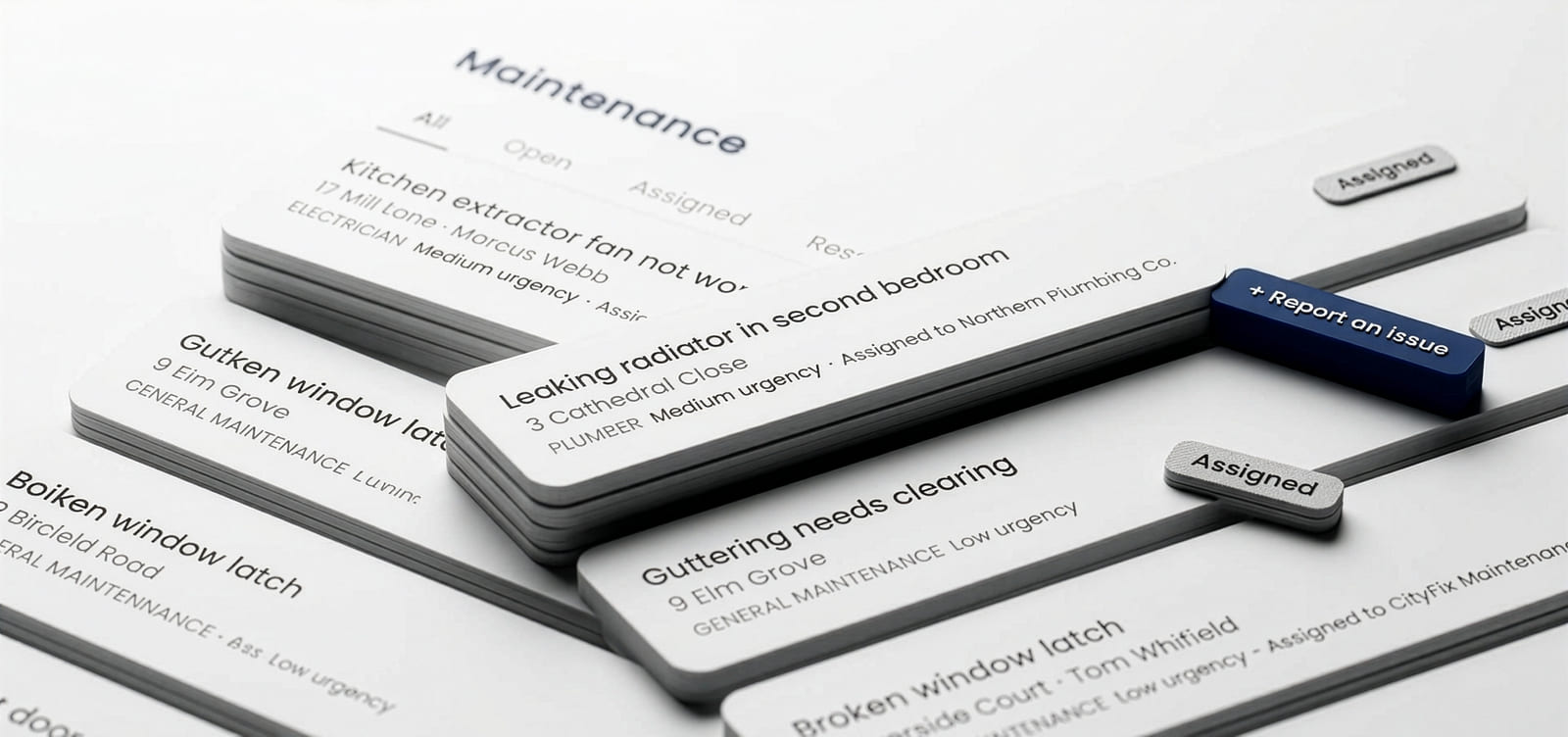
A repair that exists only as a phone call has no date on it. A maintenance request in Tenarize belongs to a property and, usually, a tenancy, and it records who reported it, a category, an urgency and a status of Open, Assigned, Resolved or Cancelled. Either you log it or your tenant does, and from that point one record carries the job through to what it cost and the invoice that proves it.
This is how each stage works, in the order you will meet them.
What a request actually records
Every request holds the same fields, whoever raised it:
- A title and an optional description — what it is, where it is, and when it started.
- A category, from gas engineer, electrician, plumber, general maintenance, roofer, locksmith, cleaner or other. This is what later matches the job to the right trade.
- An urgency of low, medium or high.
- A status — Open, Assigned, Resolved or Cancelled.
- Who reported it, landlord or tenant, which is recorded rather than inferred.
- The property, and the tenancy it sits under where there is one.
Nothing here is free text pretending to be structure. The category and urgency are fields because they are what you filter and report on later, and a request logged as "boiler thing, urgent-ish" is a note, not a record.
Two ways one gets logged
Your tenant reports it. From their tenancy page in the portal there is a Report an issue button. They pick a category and urgency and describe the problem, and you get an in-app notification and an email immediately — not in a digest the following Monday. The tenant's own view then shows the request with its status, so they can see it move from Open to Assigned without having to ask you whether anything is happening. The steps from their side are in how do I report a repair or a problem.
You log it yourself. The same + Report an issue button sits on the maintenance list and on any property page. This is the one people forget exists, and it is the more useful of the two: a boiler service you have noticed is due, damage found at an inspection, guttering you spotted from the street. Anything you were going to keep in your head goes here instead.
Assigning it to a supplier
Picking a supplier for a request moves it to Assigned automatically. You do not set the status by hand, because the status is a fact about the job rather than a label on it.
That is also the point at which Tenarize stops chasing you about the request in the weekly digest. It is not that the job is done — it is that you have clearly acted on it, and software that keeps nagging after you have acted is software people learn to ignore.
Where the supplier list comes from
Suppliers are yours, not a shared marketplace and not a directory Tenarize sells placement in. Each one records contact details, a category, and where it matters a certification body, number and expiry date.
You can search for new ones to add by name, area and category. That search runs on real Google Places data and shows each result's star rating and review count, so you are choosing between businesses that actually exist rather than typing a name off a van into an empty form. See the supplier database.
Catchments are the part worth setting up early. Draw the area a supplier covers on the map and Tenarize tests each property against that shape, so you can see which properties a given supplier covers — and, more usefully, which have no cover at all for a category. A supplier with no catchment drawn is treated as covering everywhere, so a national firm needs nothing done to it.
Certifications, and why they matter more here than they look
Record a supplier's certification body, number and expiry and Tenarize raises a notification when one is missing or approaching expiry, with an immediate email as well as the in-app entry.
The reason this is a field rather than a note: only a Gas Safe registered engineer can carry out a gas safety check and issue a valid CP12, and a certificate from an engineer whose registration had lapsed is not a valid certificate. That is a compliance failure you would have no reason to suspect, discovered at the worst possible moment, and it is avoidable by writing down an expiry date once. Certification tracking covers the rest.
Watching it through to Resolved
The list filters by status — All, Open, Assigned, Resolved, Cancelled — which is the whole tracking mechanism and deliberately not more than that.
Cancelled is a real outcome, not a delete. A request raised and then stood down still happened, and if a call-out fee was charged on it, that money still left your account. Keeping it visible is the difference between a maintenance list and a to-do list.
Recording what it cost
Each request takes a cost figure, VAT-inclusive, and one attached invoice. Re-uploading replaces the previous file rather than building up a pile of near-identical PDFs.
Both are landlord-only, and that is enforced on the server rather than hidden in the interface: the cost and invoice fields are stripped out of tenant responses before they are sent. A tenant cannot learn what you paid for a repair by any route — not by looking, not by guessing at a URL. Tracking repair costs sets out exactly what is and is not visible.
Getting the year's spend back out
The Expense reports card on the maintenance page produces a zip rather than a bare document, because an expense's evidence is the invoice and a summary without them is half a deliverable. Inside:
- `maintenance-expenses.pdf` — an itemised table, with a short reference against each row.
- `invoices/` — the invoice files themselves, each prefixed with the reference that appears in the table.
- `maintenance-expenses.csv` — optional, for importing into accounting software.
It defaults to the current UK tax year and, by default, includes only requests with a cost recorded, dated by when the work was resolved — or when it was raised, if it is still open. Filters narrow it by status, category or supplier, or widen it to include unpriced requests as a general maintenance log. Whatever you selected is printed on the PDF itself, so a copy saved or emailed to an accountant six months later still states its own scope.
Cancelled requests carrying a cost are included by default, for the reason above. And if you are inside Making Tax Digital for Income Tax, a CSV is a valid digital link.
Why the record is worth more than the reminder
Most of the value of logging a repair is not the chase. It is that six months later there is a dated record of when a problem was reported, what was done about it, who did it and what it cost — and that record was created as a by-product of doing the work rather than assembled afterwards from memory.
That cuts both ways, honestly. A tenant who reports something through the portal has a dated record too, and if it sat untouched, that shows. The version of this system that only flattered the landlord would be worth much less than the one that simply records what happened.
Where to check this yourself
- Renting out a property — GOV.UK, including where your repairing obligations sit
- Landlords' responsibility for gas safety — HSE
- Gas Safe Register — check an engineer's registration is current before they carry out the work
- Find out if and when you need to use Making Tax Digital for Income Tax — GOV.UK, for the thresholds and dates
- How maintenance requests work — the help centre version of this post, in short form
Tenarize is £15 a month for one to five properties, with the first month free. The help centre is free to read either way.
Not legal advice
Tenarize is software, not a solicitor. This is general information about the rules in England, not legal advice for your situation, and the law changes. For free independent help, Citizens Advice and Shelter both cover renting in England; for anything unusual or contested, take advice from a solicitor.